Film negative converter for macOS

Convert film negatives to positives, on your Mac.

Drop in a scan and NegBreaker removes the orange mask, crops to the frame and flips it to a positive — colour and black & white, 35mm and medium format, whole rolls at a time. No Lightroom, no lab, no subscription.

Download free trial
One-time purchase · Free trial · macOS 11 or later
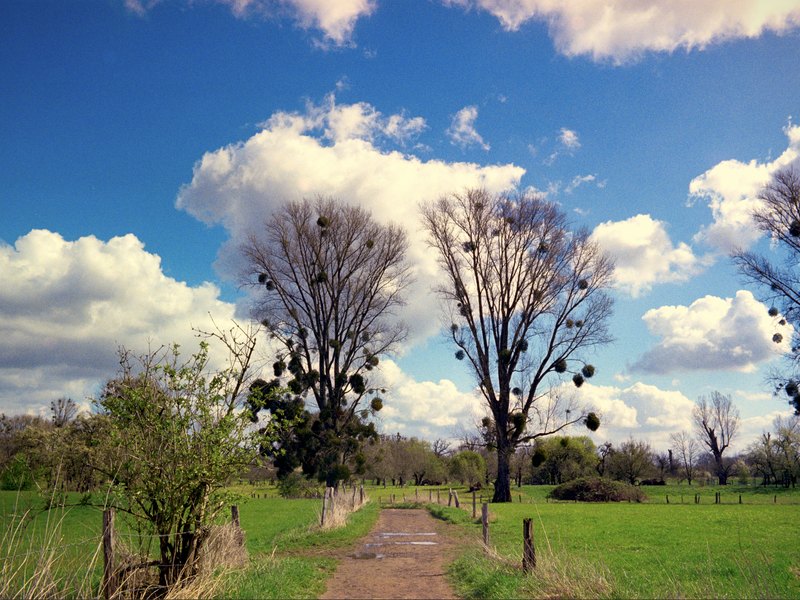
NegBreaker after conversion: the frame cropped, straightened and turned into a positive, with the grading panel on the right
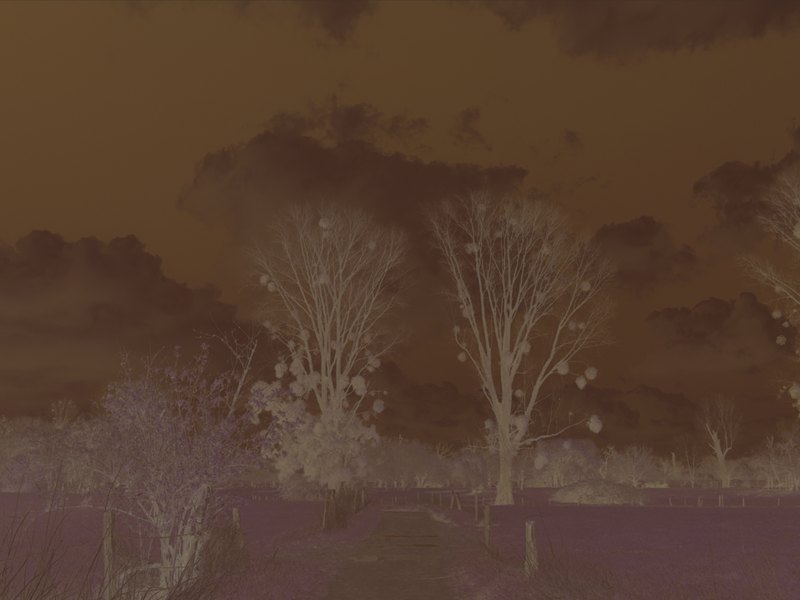
The same scan in NegBreaker before conversion: an uncropped 6×6 colour negative with its orange base
As scanned After NegBreaker
Drag to compare — a real 6×6 colour negative, cropped, straightened and inverted on import
Film negative conversion software

Everything between the sprocket holes.

You shot the roll and scanned it. NegBreaker converts the negatives — orange-mask removal, colour and black-and-white inversion, auto-crop and straighten — so your evenings go to photographs, not sliders.

The same frame in NegBreaker as a scanned colour negative and as the finished positive

True-to-film conversion

The orange mask disappears and colors come back the way the film intended — every stock, color or black & white.

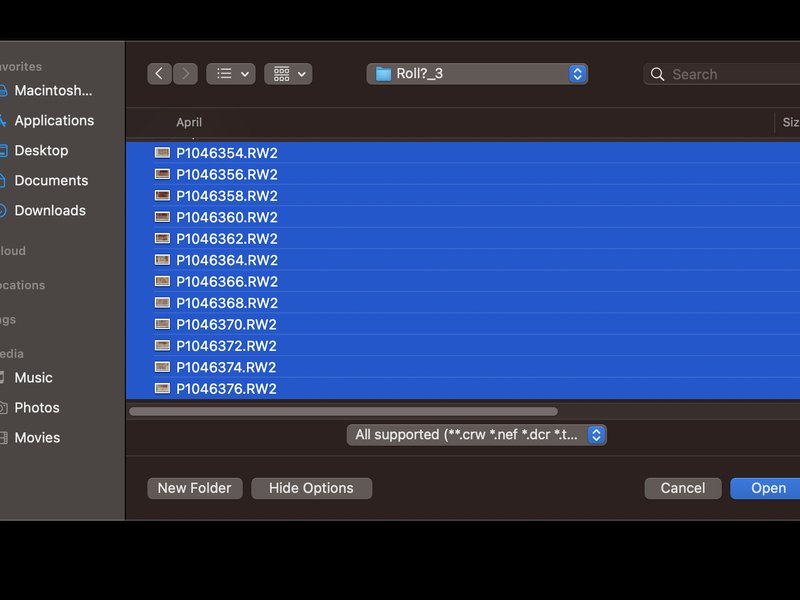
A whole roll of Panasonic RW2 raw files selected at once in NegBreaker’s open dialog

Batch import

Drop in the whole roll — 36 raws import, convert and preview in one go. Batch the entire shoebox while you make coffee.

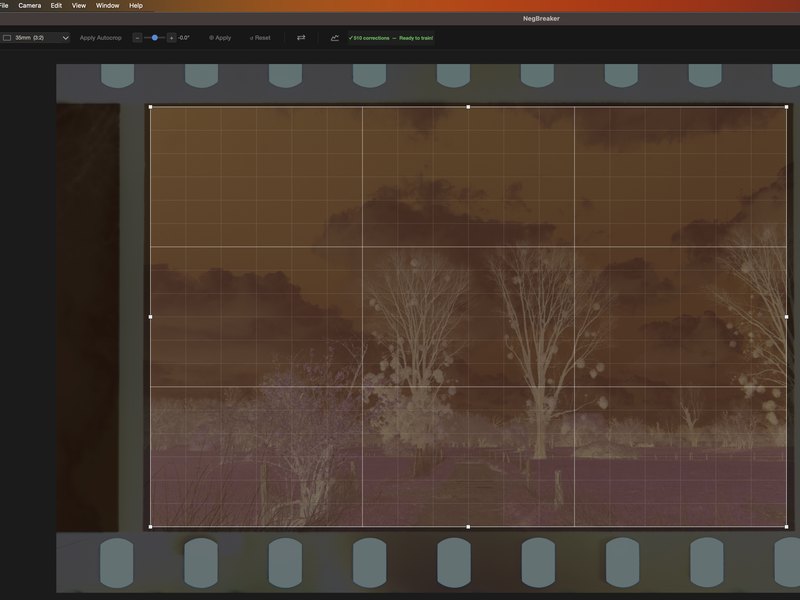
NegBreaker’s crop tool set to 35mm 3:2, with the frame found inside the sprocketed film border

Autocrop & autorotate

Finds the frame inside the film border, trims to the image edge and levels the horizon — even on crooked scans. 35mm and medium format alike.

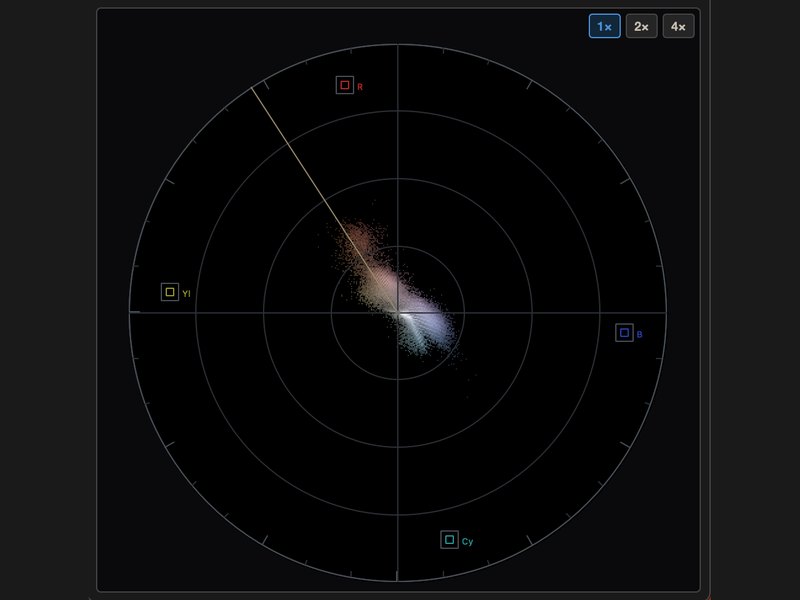
NegBreaker’s vectorscope: hue and saturation plotted on the colour wheel with R, Yl, Cy and B targets

Wide-gamut colour pipeline

Camera raws are decoded at full bit depth and processed in high-precision floating point, so nothing clips before you decide. Export finished positives as JPEG or 16-bit TIFF.

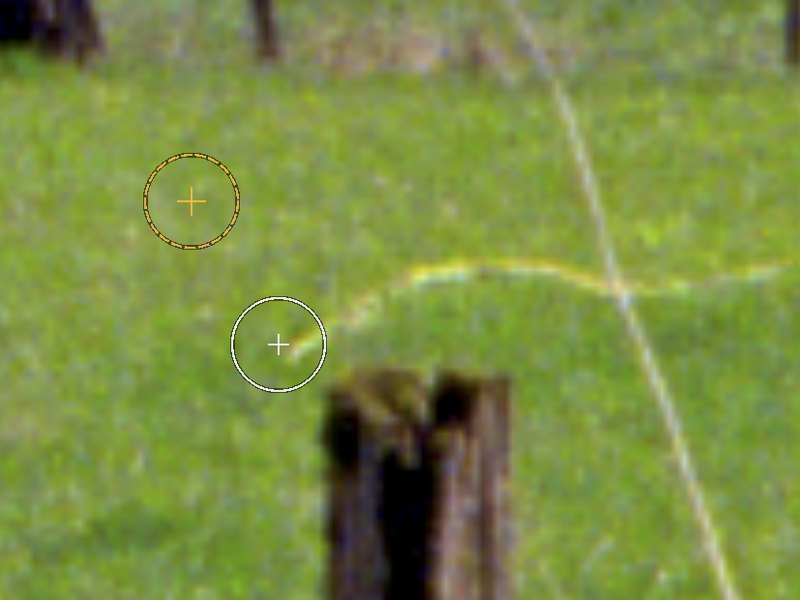
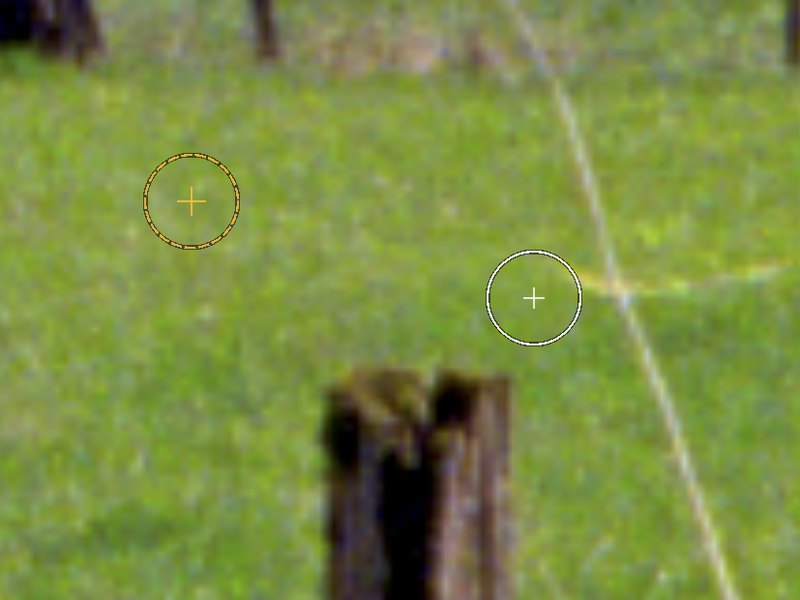
The clone stamp in NegBreaker: a source ring and a destination ring being moved across the frame

Clone & heal stamp

Dust, scratches and drying marks vanish before export — retouch right on the positive with a clone stamp and a content-aware heal mode.

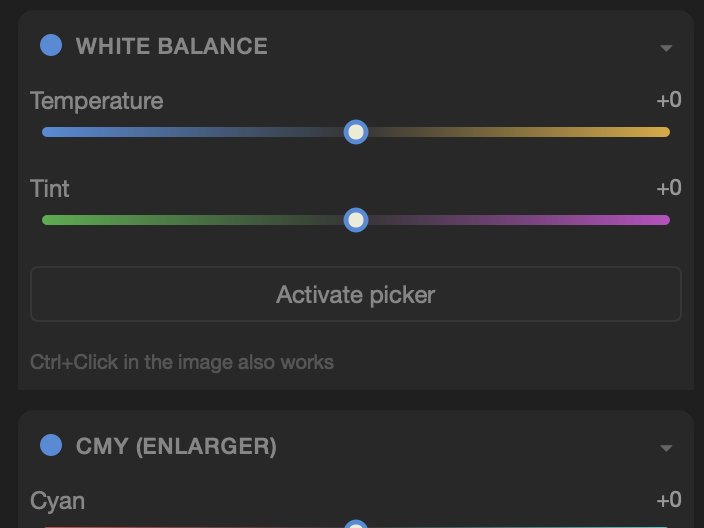
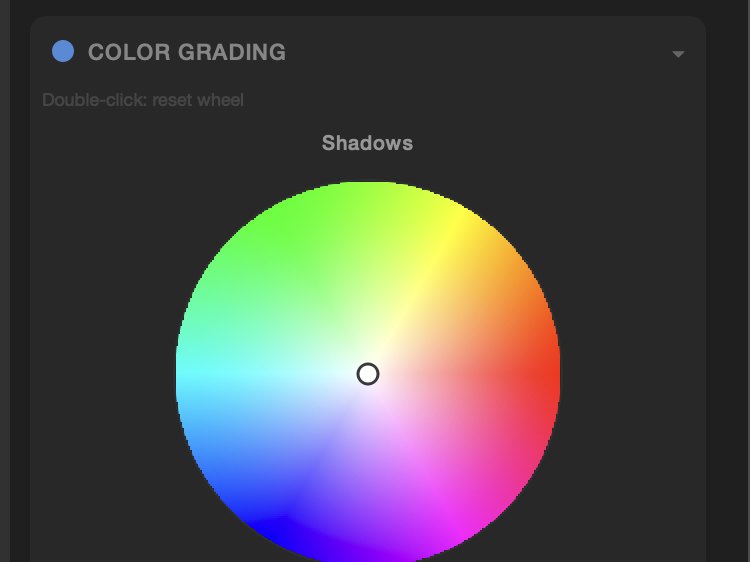
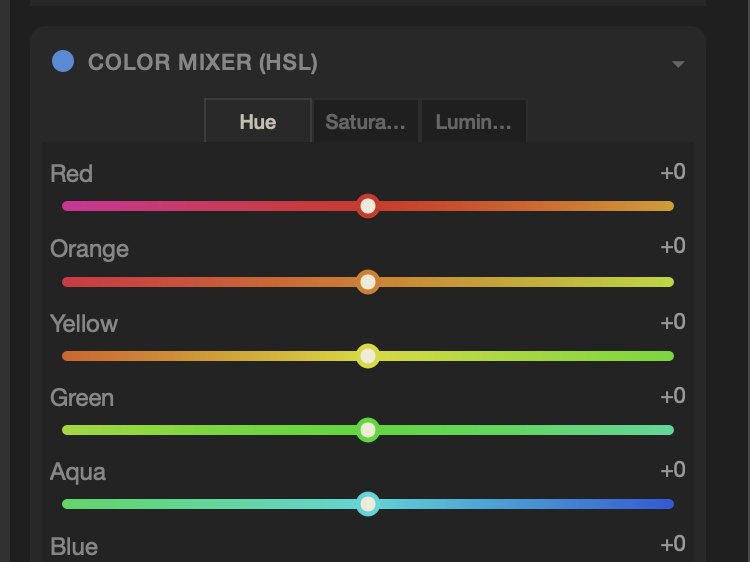
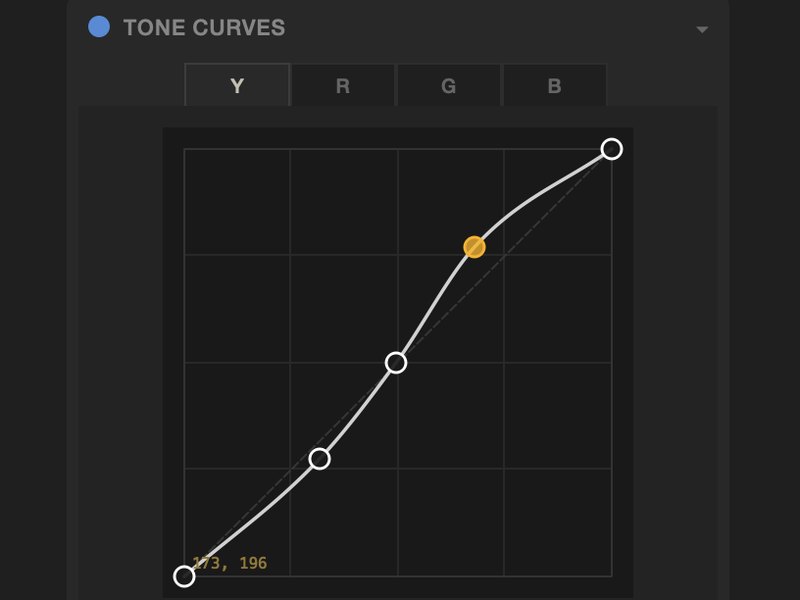
NegBreaker’s editing panels: white balance and basic sliders, colour grading wheels, the HSL colour mixer and tone curves

A full darkroom of controls

White balance, CMY enlarger dials, tone curves, per-channel colour, grading wheels for shadows, mids and highlights — plus local masks when one frame needs more.

In action · Reel 01

Autocrop & autorotate

Drop a raw scan in and watch NegBreaker find the frame inside the film border, straighten it and flip the negative to a positive — no marching ants, no manual crop. This is a real import, in real time.

One roll, one batch

Thirty-six frames go in.
Thirty-six positives come out.

Six real conversions — 35mm and medium format, straight out of NegBreaker.

In action · Reel 02

Local edits with masks

When one part of the frame needs more, paint a mask and grade just that — brighten a face, calm a sky, warm a shadow. Every local edit stays non-destructive, and the rest of the image is left exactly as the film rendered it.

Scopes

Grade by the numbers,
not by feel.

NegBreaker ships the same instruments colorists use — live, on every frame. Open the scopes window next to your image and see exactly what the conversion is doing.

  • RGB histogramWatch all three channels settle after inversion — spot clipped shadows or a lingering colour cast at a glance.
  • WaveformExposure across the frame, per channel or as luma — overlay or split R/G/B parades, just like a grading suite.
  • VectorscopeHue and saturation on the colour wheel, with 1×/2×/4× zoom. Neutral greys land in the centre — or you'll see why they don't.
NegBreaker scopes window with RGB histogram, waveform parade and vectorscope
The darkroom, minus the dark

Three steps. Zero chemistry.

01 — Drop

Drop your scans

Drag a frame, a strip or the whole roll into NegBreaker. It sorts itself out.

02 — Flip

Watch them flip

Negatives become positives before your eyes — cropped, straightened, color-balanced.

03 — Keep

Print, post, keep

Export full-resolution files or a contact sheet of the roll. Your archive, finally visible.

Why NegBreaker

A faster way to convert film negatives.

If you scan your own film, the tedious part was never the shooting — it's turning the negative into a positive. Removing the orange mask, inverting the channels and colour-correcting every frame by hand in Lightroom or Photoshop can take longer than the roll took to shoot.

NegBreaker does it in one click. Point it at a flatbed scan, a dedicated film-scanner file, or a camera scan of your negatives on a light table, and it inverts the negative, removes the orange base, crops to the frame and balances the colour automatically — for colour and black-and-white film alike. No plugins, no round-trips, just finished positives.

Because it's a standalone macOS app with a one-time €19.99 price, NegBreaker is a straightforward alternative to subscription editors and Lightroom plugins such as Negative Lab Pro — and you don't need Lightroom at all. Everything runs offline on your Mac, and whole rolls of 35mm or medium-format film convert in a single batch.

New to it? Read the step-by-step guide on how to convert film negatives to positives.

Works with your files

Camera RAW from every major brand.

Feed NegBreaker the file straight off your card or scanner — it reads the RAW directly, no conversion step first.

CanonCR3 · CR2 · CRW
NikonNEF · NRW
SonyARW · SR2 · SRF
FujifilmRAF
Panasonic / LumixRW2 · RAW
Olympus / OM SystemORF
Pentax / RicohPEF · PTX
LeicaRWL · DNG
SigmaX3F
SamsungSRW
Hasselblad3FR · FFF
Phase OneIIQ · CAP · EIP
Mamiya / LeafMEF
MinoltaMRW
KodakDCR · KDC · DCS · DRF · K25
EpsonERF
CasioBAY
Adobe DNGDNG · GPR — incl. Apple ProRAW

Not shooting RAW? NegBreaker also opens the everyday formats: TIFF (.tif/.tiff), JPEG (.jpg/.jpeg), PNG and TGA — ideal for flatbed and dedicated film-scanner output.

Coming soon

NegBreaker is coming to Windows.

The Mac app is here today, and a native Windows build is in the works — same one-click conversion, same one-time price. Leave your email and you'll be the first to know when it ships.

One email when the Windows version lands — nothing else. See our privacy policy.

Pricing

Pay once. Shoot forever.

Like a good camera: you buy it, it's yours. No rental darkroom here.

19.99
one-time · no subscription
  • Unlimited conversions
  • Color & black-and-white film
  • 35mm and medium format
  • Batch processing & contact sheets
  • Free updates
  • Works completely offline
Questions

Asked at the light table.

How do I convert film negatives to positives on a Mac?

Drag your scanned negatives into NegBreaker. It removes the orange mask, inverts the image, auto-crops and straightens each frame, and balances the colour — one click per frame, or a single batch for the whole roll. Export full-resolution positives when you're done.

Is NegBreaker an alternative to Negative Lab Pro?

Yes. NegBreaker is a standalone macOS app, so you don't need Lightroom or any plugin to convert your negatives. It's a one-time €19.99 purchase with no subscription and works completely offline.

Does NegBreaker remove the orange mask from colour negatives?

Yes. NegBreaker automatically removes the orange film base — the orange mask — and returns natural, true-to-film colour for every stock, plus clean inversion for black-and-white negatives.

Which RAW and file formats does NegBreaker support?

Camera RAW from every major brand — Canon (CR3/CR2/CRW), Nikon (NEF/NRW), Sony (ARW), Fujifilm (RAF), Panasonic (RW2), Olympus/OM System (ORF), Pentax/Ricoh (PEF), Leica (RWL/DNG), Sigma (X3F), plus Hasselblad, Phase One, Mamiya/Leaf, Kodak, Epson, Samsung, Minolta, Casio and Adobe DNG (including Apple ProRAW). It also opens TIFF, JPEG, PNG and TGA for scanner output.

Do I need a film scanner?

No. Any digitized negative works — flatbed scans, dedicated film scanners, or photos of your negatives taken with a digital camera on a light table (camera scanning / DSLR scanning).

Which film formats are supported?

35mm and medium format (6×4.5 up to 6×9), in color negative and black & white. Single frames, strips, or whole rolls.

Is it really a one-time purchase?

Yes. €19.99 once and NegBreaker is yours, updates included. There is no subscription.

Does NegBreaker work offline?

Completely. NegBreaker runs entirely on your Mac — no account, no cloud, no upload. Your photographs never leave your desk.

Can I try it first?

Of course. Download the free trial — it lets you convert a couple dozen of your own images before you decide.

That shoebox of negatives?
Tonight's the night.

€19.99 once. Every roll you've ever shot.